I’m building Xanaplan as a planning assistant that sits beside Anaplan. The current version lets you ask questions about your data, get explanations and follow up in the same conversation.

The Idea
This is a personal project exploring a simple idea: what would it be like to ask a planning question while looking at the relevant Anaplan page? A question might be about a value for a particular period, the products in a category or how a metric is calculated.
Xanaplan uses the selected app, page and supported filters as context, together with business definitions added during setup. That gives the conversation a starting point for the question you want to ask.
Using the Assistant
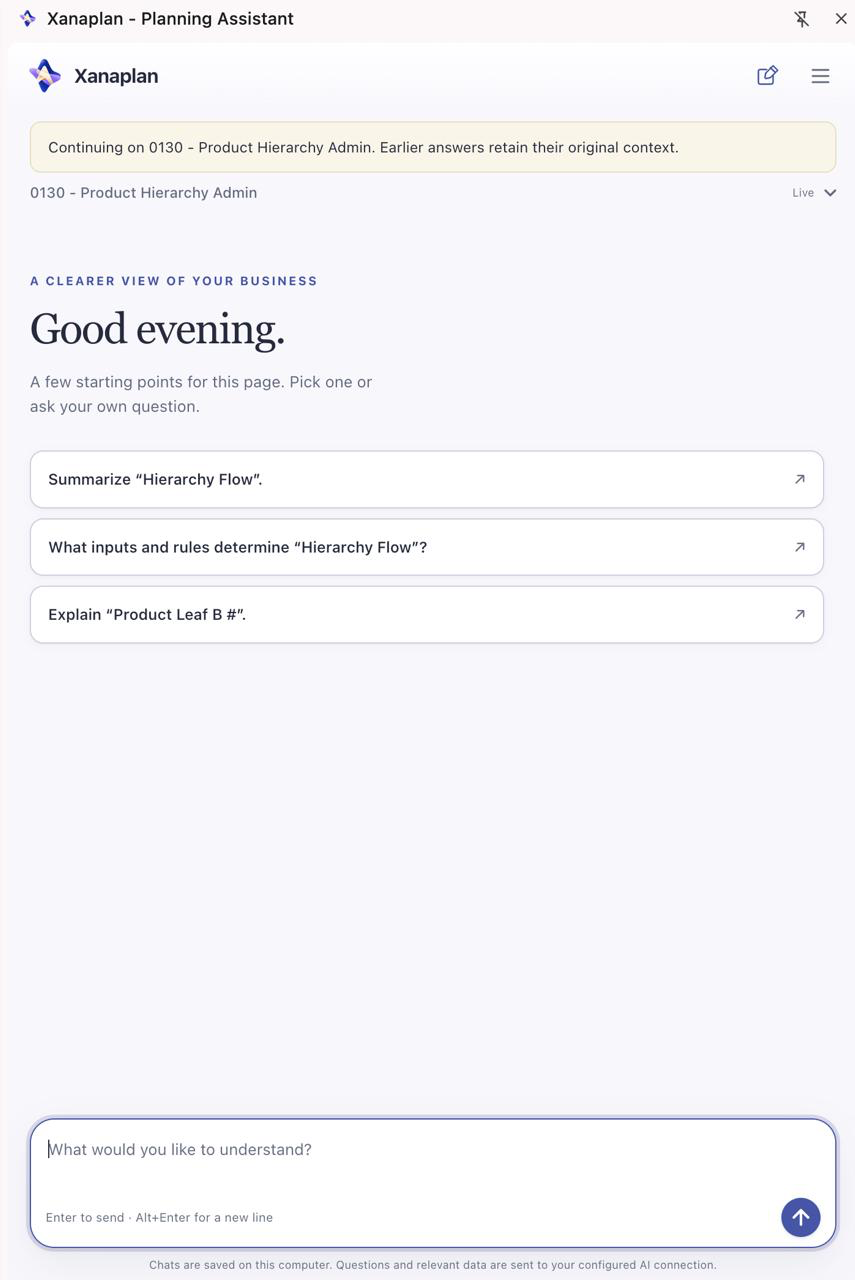
Open the Chrome side panel next to an enabled Anaplan app. Choose a suggested question or write your own, then ask follow-ups. In the example below, the conversation starts with an explanation of a product hierarchy, followed by a question about the products under Shampoo.
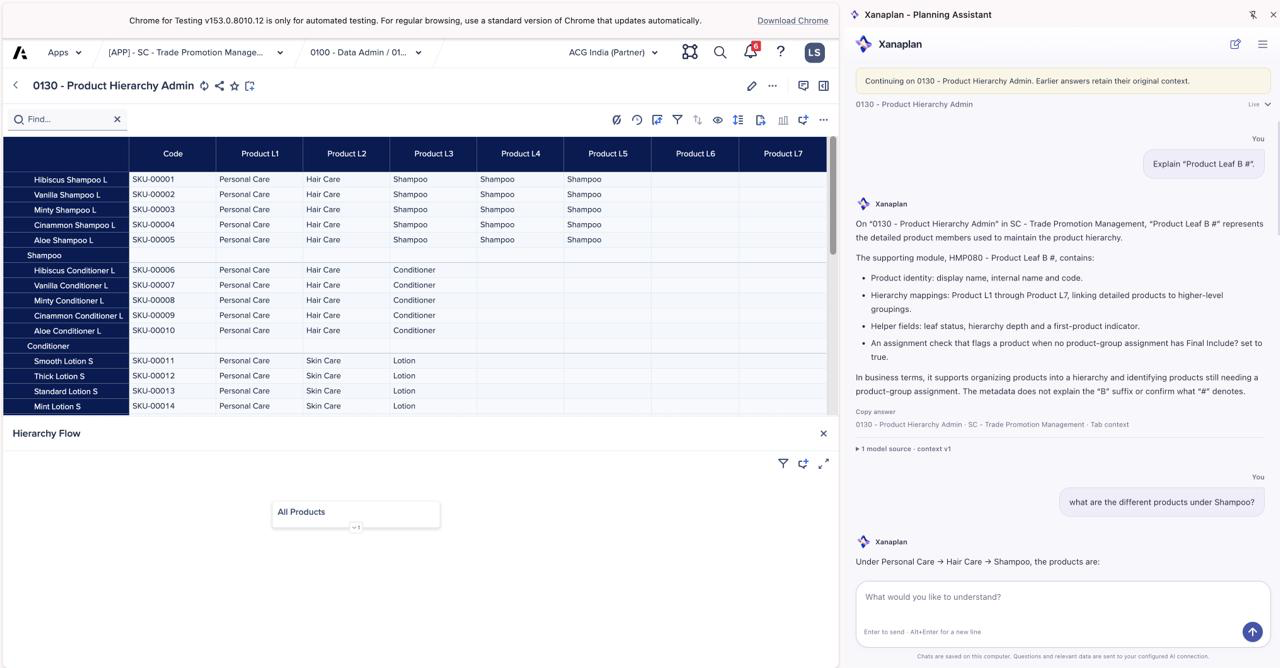
- Choose the context: follow the current Anaplan page or select a page for the conversation.
- Check the answer: expand the sources to see which model data and filters were used.
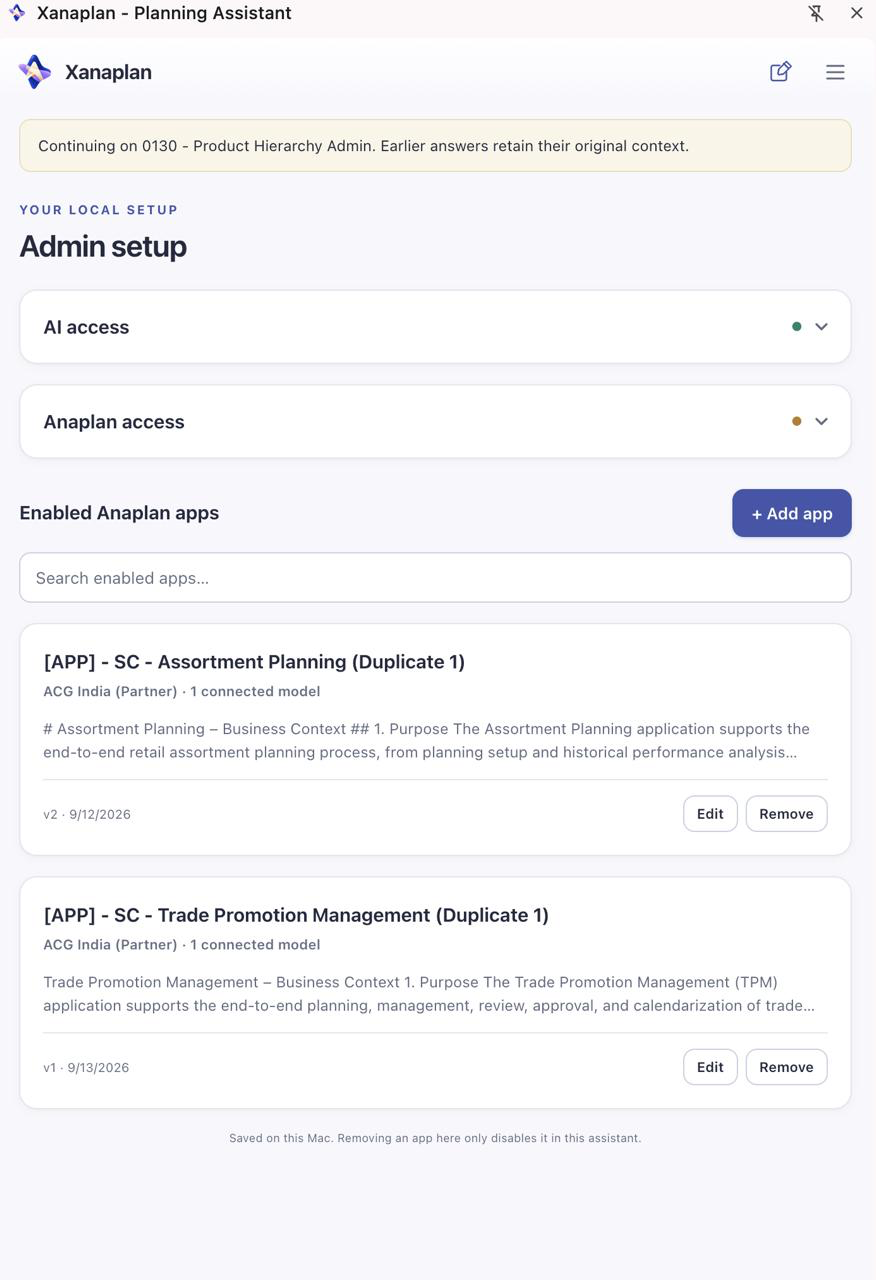
- Add business context: provide definitions and notes for each enabled app during setup.
Pick Up a Conversation
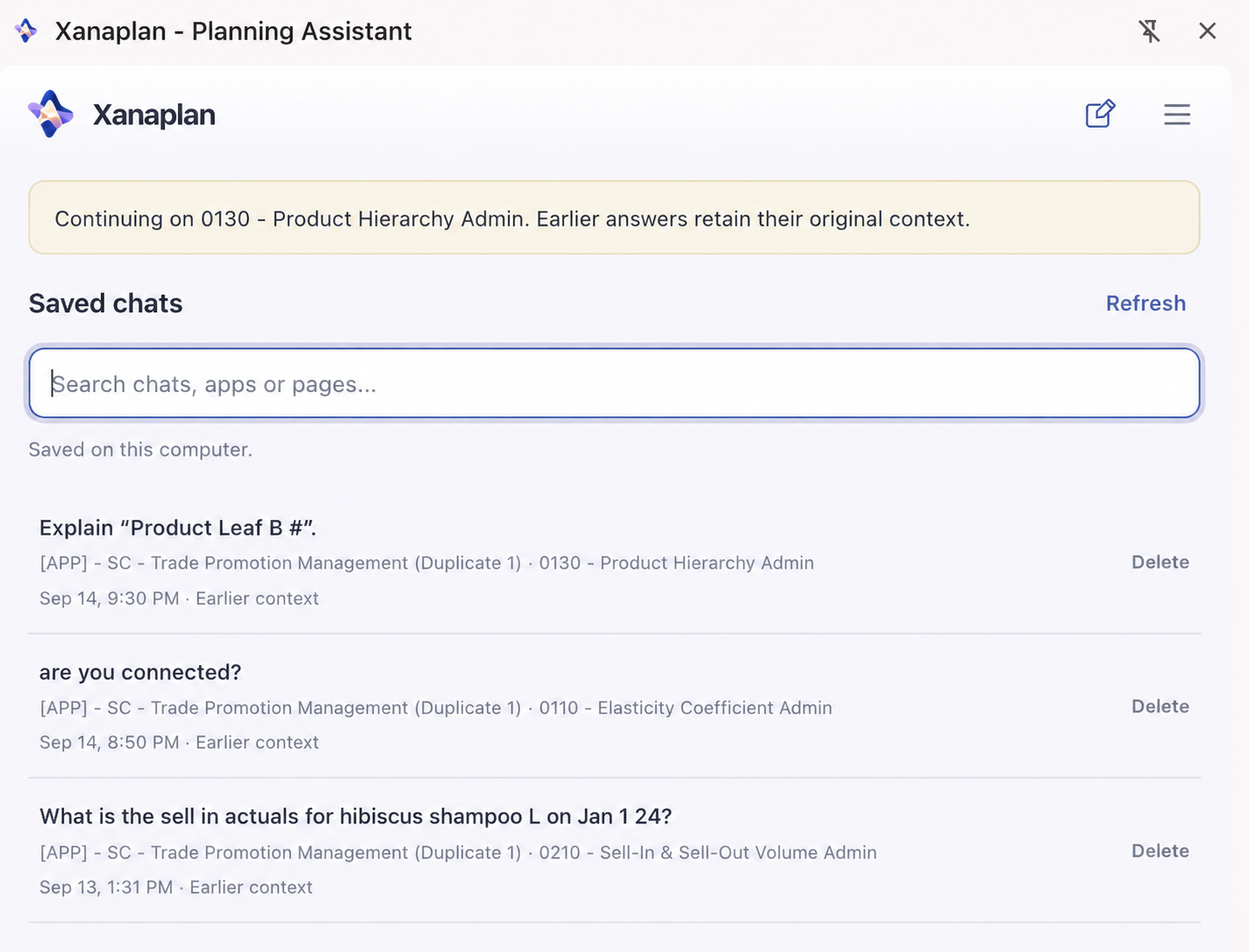
Completed chats are saved locally. You can find an earlier question and continue using the current page or return to the saved page and selections. Earlier answers keep their original sources, and the context is checked again before a new question.
Under the Hood
The Chrome extension connects to a local Node.js helper, an OpenAI or Claude connection and anaplan-mcp for model reads. Settings and completed chats are stored on your computer. Questions and relevant retrieved data are sent through the AI connection you configure.
Where It Stands
For now, Xanaplan is an early planning assistant for local, single-person use. It supports published Anaplan boards and worksheets with read-only access. It retrieves information and responds in chat; changes to the plan still happen in Anaplan.
Some page types and complex selections remain unsupported. The current focus is on questions and explanations about existing data, with answer accuracy still needing validation against the app being used.
The repository contains the source and current limitations. The setup guide covers installation and connecting an app.